When you create a paperback on Kindle Direct Publishing, the default trim size is 6×9. According to Reedsy, that’s a standard size for trade paperbacks, known as US Trade. The other standard size is 5X8, which Reedsy says is standard for novellas. As in, most of the books I’ve published.
Those trim sizes make a world of difference.
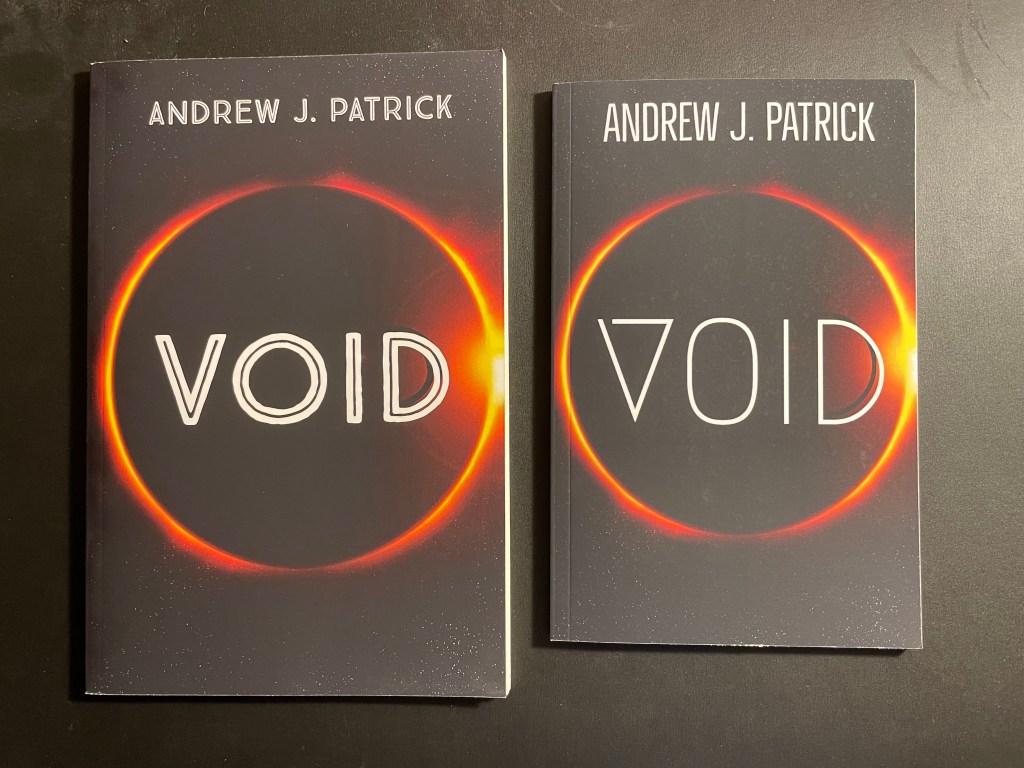
Not, in this case, to the actual page count. When Void was published, I was adding a lot of white space to the pages. So that version actually is longer. But neither are above 100 pages, so the larger version looks…. well, it looks like it’s pretending to be a bigger book than it is. There’s a reason 5X8 is novella-sized: it’s proportionate to the width of the book.
So, if you have short books (a novella is anwhere from 15,000-75,000 words, traditionally), 5X8 is the way to go. If you’ve already published a paperback on KDP in the US Trade size, you’ll have to un-publish your paperback and start again. Fortunately, you don’t have to un-publish the ebook.
Incidentally, there’s now a countdown deal on Void:
This is for the ebook, and not the paperback (you can’t do countdown deals on paperbacks), but the choice is yours! Get it for 99 cents today and tomorrow, then $1.99 until the normal price returns on the 27th! How can you lose?
 Content Blues